I have been sent a
Nook 7" HD Tablet for a three week trial courtesy of
Barnes and Noble. My family have never owned a tablet and I am not the greatest gadget geek. I sometimes find it hard to make technological changes as I get really attached to the gadgets I use and grow to love. I have only just got my first Smartphone! So I am testing this as a complete novice, with an open mind and as a mum, so instead of comparing it against other tablets' specs, and getting all techy, I will be focusing on how the Nook fits in to our family life and what fun things we can do with it.
Barnes and Noble are a US based bookstore and the largest online bookseller in the world. They are also the producer of the Nook family of devices which offer a range of fantastic value readers and tablets. The Nook HD tablet, which we are trialing is an e-reader that also has internet capability through built in wi-fi. It has access to the Barnes and Noble shop giving a choice of 3 million books to browse plus loads of movies, magazines and apps. There are no annoying ads, just a very intuitive and user friendly shopping experience.
The Nook HD tablet looks good. It is sleek, light and thin and feels nice in your hands with its ergonomic design and smooth curved edges. The touchscreen is very easy to use with just the right level of sensitivity. The display is in high definition and it really is crystal clear, even when you zoom in. There is no glare from the screen, making it a perfect e-reader. The view when watching videos is great, even when viewing at an angle. The 7" screen is a good size for reading, watching films, browsing the internet or playing apps.

The Nook HD has an excellent feature allowing you to create up to six user profiles. Adults and children can each have their own profiles allowing them to design their own personal device experience. Every profile can build a private library of e-books, movies and apps. Profiles made for kids have built in controls and extra parental controls help create a completely safe experience. For example, children's profiles can be set up so they can only access age appropriate materials, cannot make purchases in the store or surf the web. This makes it really good as a family tablet where multiple people have access to it.

We set up profiles for myself and Freddy aged 3 and Kizzy aged 10. Each profile is personalised with an icon which is displayed on the home page making an individual experience for each user. Opening your profile takes you into your own Nook library. Apps, books, music and movies that you have stored are shown clearly on your page. A carousel displays everything visually and you can spin through it to see what you want at a glance. Icons can also be displayed as buttons, making favourite apps easy to find, especially useful for young children. It really is very user friendly and intuitive.

The Shop is immense! With books, magazines, apps, newspapers, films and TV and a dedicated children's section, there are literally millions of items to browse and purchase. Many are free to download and you can often sample titles before you commit to a purchase. Each section is further sub-categorised for easy browsing and a search facility helps you pinpoint exactly what you are looking for. Each item has an overview giving a good synopsis, reviews and 'More Like This' suggestions.

The Magazines range is extensive. You can buy one off editions or subscribe to the title. Free 14 day trials are available. Cosmo, Star, Best, Reveal, Elle, SFX, Men's Health and What's On TV are just a handful of big name mags available in this easy and convenient format. There are also international titles available. The HD screen gives you a crystal clear image of the pages with pin sharp photos. Nook allows you to scrapbook favourite pages and catalogue them in one place for easy access. Perfect for recipes or for interesting articles. I love how environmentally friendly it is to read magazines and newspapers this way.

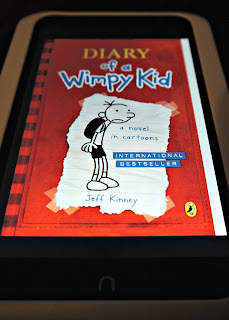
The book shop has completely up to date titles categorised for easy browsing. They download in seconds ready to be read on the 7" screen. I have owned a Kindle and did not get on with it very well. However, the reading experience of the Nook is very different. The contrast between the wording and the background is far more book like and authentic. I found it very pleasing to read on it. Kizzy, my resident bookworm, has been testing it extensively with some downloaded children's books. She really loves it and can handle the tablet easily. It is light enough for her to hold it for extended periods. She really liked that you get to 'turn' the pages rather than use a button to get to the next page.
There is a big range of Android apps to download. With favourites such as Angry Birds, Froad and Fruit Ninja, Freddy my technophile pre-schooler was happy! The games work really well on the larger screen. Freddy also had access to some kids' books on his personal profile so could access them himself. With modes such as Read by Myself, Read and Play and Read and Record the Nook will grow with him as he learns and develops his reading skills. The Nook is robust enough for him to handle and light enough for him to hold easily. I am amazed at how naturally he can use it. Little ones are just not afraid by gadgets! There are some great apps for all ages. The Crosswords game is good for the old grey matter! It gives you a daily puzzle and the format works really well and is a fun activity for grown-ups to enjoy when we have a spare few minutes in the day.

The Nook has high speed web browsing with a multi-tab browser. Email addresses and diaries can be synched so you can keep yourself organised with the Nook. It has 16GB of storage (13GB available for user content) which can be extended with a Micro SD memory card plus it is connected to Nook Cloud to save online purchases for free. The battery gives ten and a half hours of reading time which gives plenty of time to use it on the go. It also has Bluetooth connectivity. All these features make the Nook HD a fantastic choice to meet your tablet needs.
Another very attractive detail is the price. The Nook HD 16 GB tablet is currently available in the UK in Argos for £189 which is extremely competitive in the tablet market. It has many features which make it very family friendly such as the individual profiling allowing each user to have their own private library of age appropriate content. It is thin and lightweight and extremely user friendly. Definitely a good value choice for a family tablet.
The only thing I have noticed that it doesn't have that some other tablets do is a camera. For me that isn't a problem as I prefer to use a 'real' camera for my photography. Photos can however be put onto the Nook HD to be viewed and to use as profile pictures.
It is a great device to use for long journeys with the kids. You can watch videos on the go, read or play on the apps. Freddy is able to use it with ease and enjoys it until he gets stuck playing Froad!
We are enjoying having the Nook to play with and it is very popular in our house. Its versatility and the individual profiles have created a personalised experience for each of us from 3 year Freddy to myself. I like how useful it is and how it has revolutionized our choices when it comes to reading. I am impressed with how user friendly it is and how easy it is to navigate. The only real problem we have encountered is whose go it is next!


